What Makes an AI Family Photo Look Natural?
The small choices that help AI family portraits feel believable, connected, and frame-worthy.
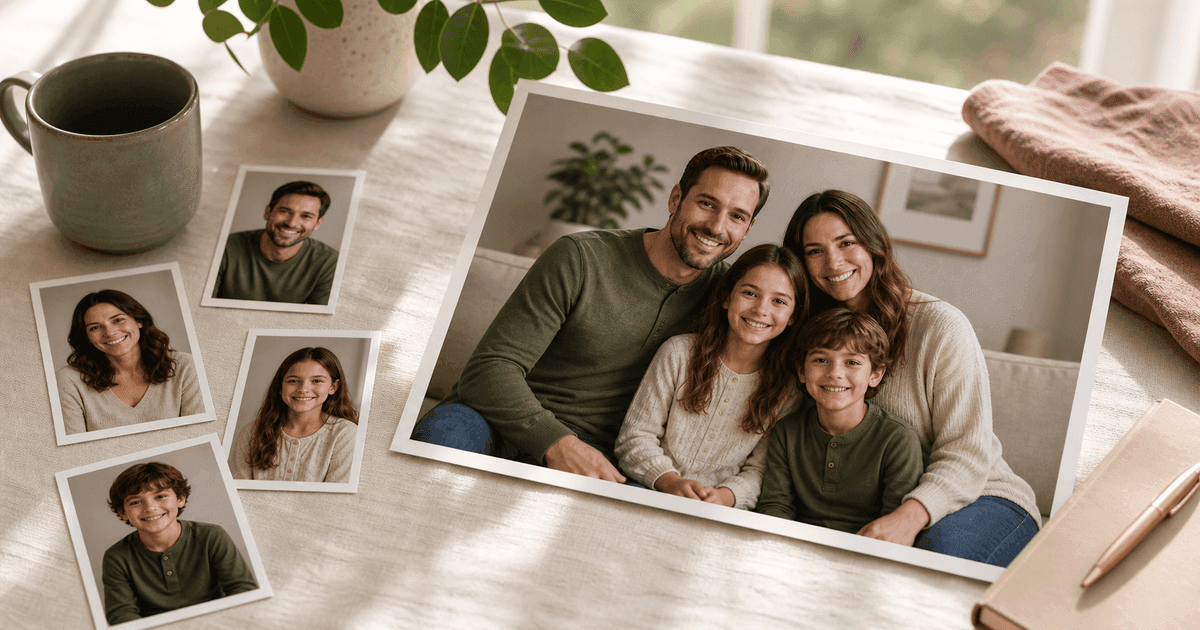
The difference between an AI family photo that feels natural and one that feels strange is usually not one big thing. It is a cluster of small choices: face references, lighting, pose, scale, and how much the scene asks the model to invent.
If you are new to the workflow, start with the main guide: AI family photo generator: make a family portrait from separate photos.
Here is what helps.
Consistent lighting
If every reference photo has wildly different lighting, the final portrait has more work to do. You do not need studio photos, but clear, evenly lit faces help a lot.
Window light, outdoor shade, and simple indoor lighting all work well. Harsh flash or deep shadows are harder.
Realistic poses
Family portraits feel better when the pose is something people could actually do. Sitting together, standing shoulder to shoulder, leaning close, or gathering around a couch tends to work better than dramatic action scenes.
A simple background
The more complicated the setting, the more places there are for odd details to appear. A home interior, studio backdrop, garden, porch, or seasonal card scene gives enough context without stealing attention.
Clear age cues
For children and older relatives, use references that reflect their current age. This is especially important for babies and toddlers, where a few months can change the face a lot.
A little patience
Natural does not always mean the first generation wins. Review the eyes, hands, face shapes, and family spacing. Keep the one that feels emotionally right, then refine from there.
The best AI family photo should feel less like a special effect and more like a lucky day when everyone showed up, smiled, and the light was kind.
For seasonal cards, pair this checklist with our AI holiday card photo tips, then start a family shoot when your references are ready.
Make one now
Turn your photos into a family portrait.
Upload one clear photo per person, choose a portrait or card style, and keep the version that feels most like your family.