How to Create a Family Portrait From Separate Photos
Learn how to turn separate iPhone photos into one natural, frame-worthy family portrait using an AI family photo generator.
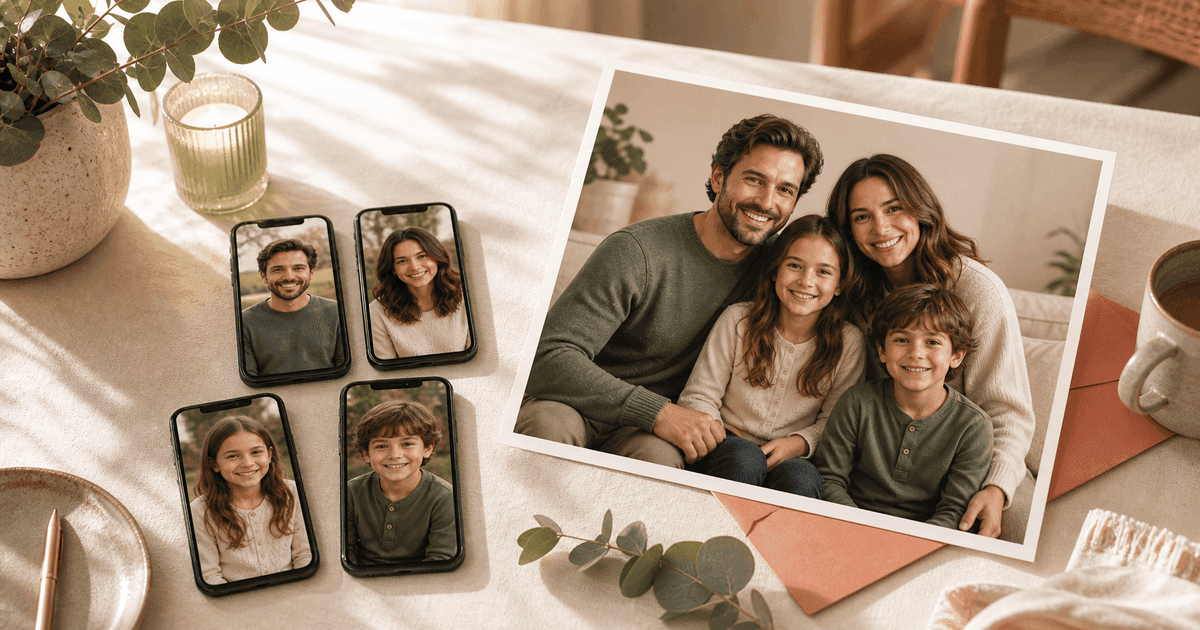
Most families do not have one perfect group photo sitting on their phone. Someone lives far away. A kid moved at the last second. One person blinked. The dog looked incredible, but everyone else looked tired. Or the only full-family picture is old enough that nobody really looks like that anymore.
That is why a practical AI family photo generator can be useful: it can help you create a family portrait from separate photos instead of trying to organize one more photoshoot.
With FamilyShoot, you can upload individual reference photos, choose a portrait or card style, and turn scattered pictures into one natural-looking image you would actually print, frame, send, or gift.
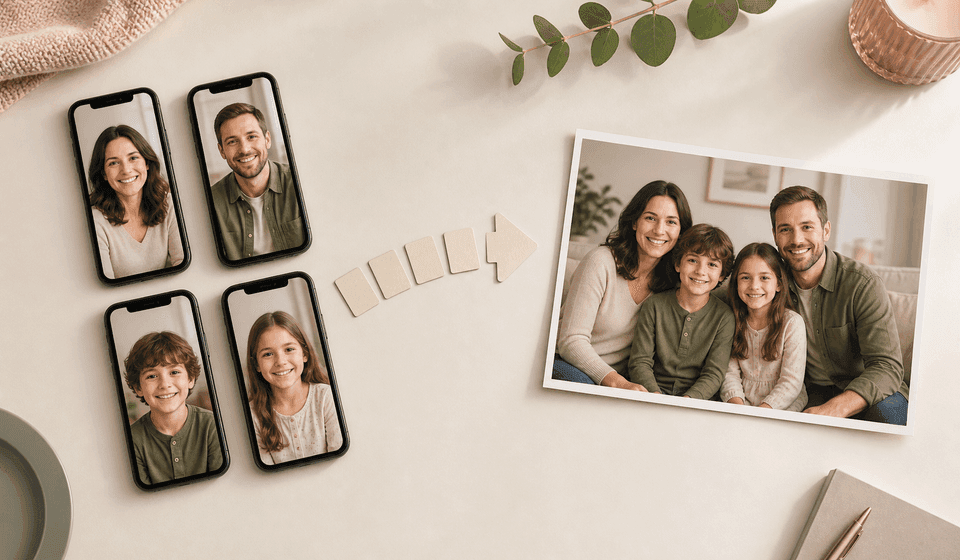
Can AI combine separate family photos into one portrait?
Yes, if the tool is designed around reference images. The goal is not to make a cheap collage where everyone is cut out and pasted together. A good AI family portrait generator uses separate pictures as references, then creates a new image where the people look like they were photographed in the same scene.
That is the buyer-intent problem most families are trying to solve:
- Create a family portrait from separate photos.
- Combine family photos into one polished image.
- Make one family photo from several different pictures.
- Create a holiday card photo without scheduling a photoshoot.
- Turn iPhone photos into a professional family portrait.
FamilyShoot is built for this exact workflow. Instead of starting with a blank prompt, you start with the people who need to be in the portrait.
Why most families do not have one perfect group photo
Family photos are hard because everything has to line up at once: timing, lighting, clothing, expressions, camera angle, background, and energy. That is a lot to ask from adults, kids, babies, pets, and relatives who may not even live in the same place.
Separate photos let you work around real life. You can choose the clearest photo of each person, use a recent picture for each child, and create a family group photo without needing everyone in the same room.
This is especially helpful for:
- Long-distance families.
- Blended families coordinating multiple households.
- Grandparent gifts.
- Holiday cards.
- New baby announcements.
- Families with kids or pets who will not sit still.
- Anyone who wants a polished portrait but does not want a studio session.
What photos work best as references?
For the most realistic AI family photo from individual photos, upload one clear image per person. A normal phone photo is fine. What matters is that the face is visible and recent.
The best reference photos usually have:
- A clear view of the face.
- Natural lighting.
- A relaxed expression.
- Minimal blur.
- No sunglasses, masks, or heavy filters.
- A current photo for babies, toddlers, and kids.
You do not need every photo to have the same background or outfit. The AI is not copying the original scene. It is using each photo to understand who should appear in the final family portrait.
How to make the final portrait look natural
Natural AI family portraits usually come from simple choices. Pick a style that could exist as a real photograph, keep the scene focused, and avoid asking the image to do too much at once.
Good portrait directions include:
- Warm living room portrait.
- Clean studio family photo.
- Golden-hour outdoor portrait.
- Cozy holiday card photo.
- Soft editorial portrait.
- Casual couch photo at home.
- Frame-worthy grandparent gift portrait.
If you are making a card, choose the occasion before you generate. An AI holiday card photo needs a slightly different composition than a wall portrait because it may need room for text, a card border, or a seasonal crop.
Common mistakes that make AI family photos look fake
The most common issue is not the AI itself. It is asking for too much with weak references. If the input photos are blurry, heavily filtered, or years out of date, the final portrait has to guess.
Try to avoid:
- Old screenshots from social media.
- Cropped faces with very low resolution.
- Heavy beauty filters.
- Harsh shadows across the eyes.
- Extreme camera angles.
- Mismatched expectations, like asking for a formal studio image from tiny party snapshots.
If you only have imperfect photos, use the clearest ones you can find and generate a few variations. Often one result will capture the likeness, spacing, and feeling better than the others.
How the FamilyShoot workflow works
FamilyShoot keeps the process simple because the hardest part should be choosing the photos, not learning prompt engineering.
Start by adding each family member to My Family. Upload a clear reference photo for each person, then choose the vibe or occasion for the final image. FamilyShoot generates portrait options from those references, and you keep the version that feels most like your family.
The workflow is designed for people who want:
- A family portrait from separate pictures.
- An AI family group photo generator with reference images.
- A print-ready family portrait.
- A family holiday card generator.
- A realistic portrait without a traditional photoshoot.
When your reference photos are ready, open My Family and build the portrait from there.
Holiday cards are the highest-pressure version
Holiday cards are where this problem gets urgent. You need a recent family photo, a card-ready crop, and something that feels warm enough to send. But schedules rarely cooperate.
An AI family holiday card generator can help you create a Christmas card photo, winter card image, New Year portrait, Diwali card, Hanukkah card, Eid card, birthday card, or family announcement from photos you already have.
For seasonal portraits, pick a style with enough visual cues to feel festive but not so many props that the family gets lost. Soft lights, greenery, snow, candles, warm knits, or a clean card layout usually work better than a crowded scene.
For more card-specific ideas, read AI holiday card photo tips for families.
FAQ
Can I make a family portrait if everyone is in a different photo?
Yes. That is the main use case. Upload a clear photo of each person, then choose the style for the final family portrait.
Do the reference photos need to be professional?
No. Phone photos work well when the face is clear, recent, and not heavily filtered.
Can I use old and new photos together?
You can, but use recent photos whenever possible, especially for children. If a child has changed a lot, an older photo may make the final portrait feel slightly off.
Can I include pets?
Yes, if you want the pet in the portrait. Use a clear pet photo just like you would for a person.
Is this better than a collage?
For most keepsakes, yes. A collage shows separate photos side by side. An AI family photo combiner creates a new portrait where everyone appears together in one scene.
The takeaway
You do not need one perfect group shot to make a family portrait. You need clear individual photos, a specific purpose, and a tool that is built to combine family members into one believable image.
Have scattered photos but no perfect group shot? Start a FamilyShoot and turn them into one portrait you will actually print.
Make one now
Turn your photos into a family portrait.
Upload one clear photo per person, choose a portrait or card style, and keep the version that feels most like your family.